The Problem — Your Workflows Disappear When the Container Restarts
You've deployed n8n with docker run and lost all your workflows when the container restarted. Or you're running SQLite in production and wondering when it'll finally corrupt your data. Maybe you need background execution for long-running workflows but haven't set up the queue.
n8n itself is great. But running it without PostgreSQL persistence and a Redis-backed queue means your automations are one restart away from disaster and one long-running workflow away from timing out.
What This Stack Does For You
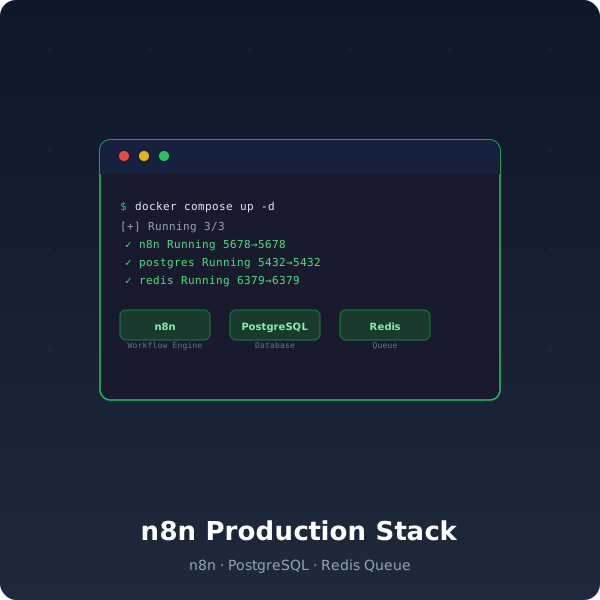
Deploy n8n with PostgreSQL persistence and Redis-backed queue so your workflows survive container restarts, server reboots, and deployments — with background execution for long-running automations.
What You'll Be Able To Do After Deploying
- Never lose a workflow — PostgreSQL persistence means every workflow, credential, and execution history survives container restarts and server reboots. Your automations are durable by default.
- Run workflows in the background — Redis-backed message queue enables workers to process long-running workflows without blocking the main n8n engine. No more webhook timeouts.
- Scale execution without scaling the UI — Add worker containers that pick up queue items — your web UI stays responsive while workers handle the heavy lifting
- Deploy with production defaults — PostgreSQL with UUID and pgcrypto extensions pre-configured. Environment variables documented in
.env.example. No config guessing.
Why This Saves You Hours
A DIY n8n production setup means:
- Migration work: Starting with SQLite, then realizing you need PostgreSQL, then figuring out the migration
- Queue setup: Reading n8n docs on Redis configuration, setting up the message broker, testing worker mode
- Persistence debugging: "Where did my workflows go?" after a
docker compose down— then learning about volumes and database persistence the hard way - Config research: Which environment variables matter for production? What's the difference between
EXECUTIONS_DATA_PRUNEandEXECUTIONS_DATA_MAX_AGE?
This stack gives you production n8n in one command. Download, extract, run docker compose up -d.
What You Get
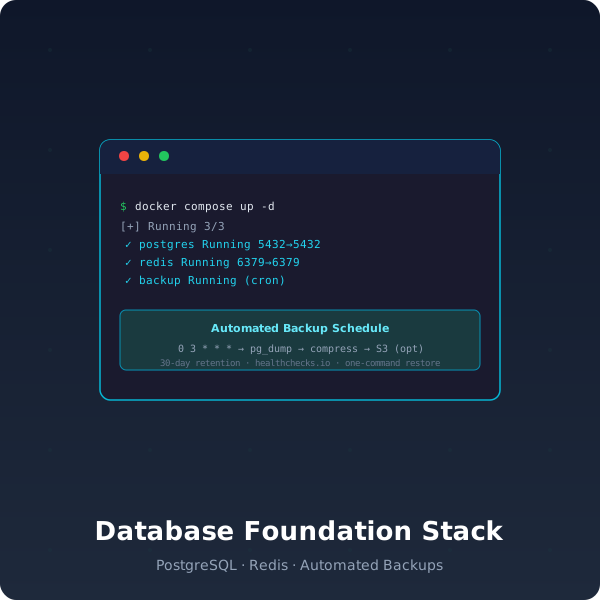
- docker-compose.yml — 3 services: n8n (workflow engine), PostgreSQL (persistence), Redis (message queue)
- PostgreSQL init script — UUID and pgcrypto extensions
- .env.example — All environment variables documented
- README.md — Architecture diagram, quick start, production checklist
Requirements
- Docker Engine 24+ with Docker Compose v2
- 2GB RAM minimum, 4GB recommended
Your Outcome
5 minutes from now, you'll have n8n running with PostgreSQL persistence and Redis queue — your workflows survive restarts, background executions don't block the UI, and you can scale workers independently. No data loss, no timeouts, no config guessing.