The Problem — Ollama Alone Isn't Enough
You want to run local AI models but Ollama alone isn't enough. You need a chat interface that rivals ChatGPT, an OpenAI-compatible API proxy for your existing tools, and everything wired together so you can use local models the same way you use cloud APIs.
Setting this up means installing Ollama, deploying Open WebUI (which needs its own database), configuring LiteLLM as a proxy, setting up GPU acceleration, and making them all talk to each other. That's hours of research and debugging before you run your first prompt.
What This Stack Does For You
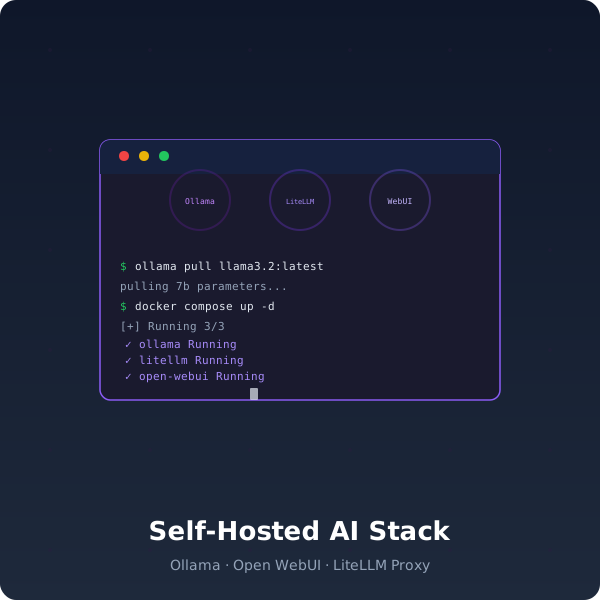
Deploy a private AI inference cluster that rivals cloud APIs in capability, not cost. Ollama, Open WebUI, and LiteLLM — fully containerized and ready in one command.
What You'll Be Able To Do After Deploying
- Chat with local models through a beautiful interface — Open WebUI stores conversations, supports markdown, code highlighting, and multi-model chats. Works like ChatGPT but runs on your GPU.
- Point any OpenAI-compatible app to your own server — LiteLLM proxies requests to Ollama models through an OpenAI-compatible API. Swap
api.openai.comfor your own URL — no code changes needed. - Route between multiple models with rate limits — LiteLLM proxy config supports model routing, rate limiting, and fallback models. If one model is overloaded, requests route to another automatically.
- Pull and switch models in seconds — Ollama serves any model you pull (Llama, Mistral, Phi, CodeLlama, etc.) with GPU acceleration. No API keys, no per-token costs.
- Keep your data private — Every request stays on your hardware. No data sent to third-party APIs. Your prompts, your conversations, your models.
Why This Saves You Hours
DIY AI inference setup means:
- Piecemeal installs: Installing Ollama, deploying Open WebUI, configuring LiteLLM, setting up GPU passthrough — each with different docs and config formats
- Integration debugging: Getting Open WebUI to talk to Ollama, getting LiteLLM to route to the right model, configuring fallbacks — then realizing CORS isn't set up
- Missing the API proxy: You set up Ollama and Open WebUI, but can't use it from VS Code, your custom app, or any OpenAI-compatible tool
- GPU acceleration: Getting NVIDIA Container Toolkit working, configuring Docker GPU access, debugging "CUDA error: out of memory"
This stack gives you all 3 services wired together. Download, extract, run docker compose up -d.
What You Get
- docker-compose.yml — 3 services: Ollama (LLM engine), Open WebUI (chat interface), LiteLLM (OpenAI-compatible proxy)
- LiteLLM proxy config — Model routing, rate limits, and fallback configuration
- .env.example — All environment variables documented
- README.md — Architecture diagram, quick start, production checklist
Requirements
- Docker Engine 24+ with Docker Compose v2
- NVIDIA GPU with 8GB+ VRAM (for 7B models)
- NVIDIA Container Toolkit
Your Outcome
5 minutes from now, you'll have a private AI inference cluster running on your GPU — Ollama serving local models, Open WebUI providing the chat interface, and LiteLLM proxying everything through an OpenAI-compatible API. Use it from the browser, from VS Code, or from any app that speaks OpenAI's API. No cloud costs, no data leaving your hardware.